
Best Anti-Malware Software 2026: Tested & Compared
Finding the best anti-malware software 2026 is harder than it looks. The market is flooded with tools that make bold claims — but independent lab tests tell a very different story. We ran eight of the top anti-malware tools through real-world malware samples, tested system performance impact, and cross-referenced results with AV-TEST and AV-Comparatives data to give you rankings you can actually trust.
- Our Top 8 Picks for Best Anti-Malware Software 2026
- 1. Malwarebytes Premium — Best Dedicated Anti-Malware Software 2026
- Malwarebytes Premium
- What Makes Malwarebytes Different
- Malwarebytes Browser Guard
- 2. Bitdefender Total Security — Best All-In-One Anti-Malware Suite 2026
- Bitdefender Total Security
- Bitdefender’s Anti-Malware Technology Stack
- Beyond Malware: A Full Security Suite
- 3. Norton 360 Deluxe — Best for Families & Identity Protection
- Norton 360 Deluxe
- What Justifies Norton’s Place on This List
- 4. Kaspersky Premium — Best Detection Accuracy in 2026
- Kaspersky Premium
- Kaspersky’s Detection Technology
- 5. Malwarebytes Free — Best Free Anti-Malware Scanner
- Malwarebytes Free
- 6. HitmanPro — Best Second-Opinion Anti-Malware Scanner
- HitmanPro
- 7. Emsisoft Anti-Malware — Best for Ransomware Protection
- Emsisoft Anti-Malware
- 8. SUPERAntiSpyware — Legacy Spyware & Adware Removal Tool
- SUPERAntiSpyware
- How We Test Anti-Malware Software
- Our Lab Testing Process
- What to Look for When Buying Anti-Malware Software in 2026
- Real-Time Protection vs. On-Demand Scanning
- Behavioral Detection vs. Signature-Based Detection
- Ransomware Protection and Rollback
- System Performance Impact
- False Positive Rate
- Independent Audit History
- Best Anti-Malware Software 2026: Head-to-Head Comparison Table
- Frequently Asked Questions About Best Anti-Malware Software 2026
- Our Verdict — Best Anti-Malware Software 2026
Malware threats in 2026 are more sophisticated than ever. Ransomware, spyware, trojans, rootkits, and zero-day exploits are evolving faster than basic antivirus engines can track. You need dedicated anti-malware protection — and this guide tells you exactly which tools deliver it.
Best Anti-Malware Software 2026: Malwarebytes Premium is our top pick for dedicated anti-malware protection in 2026, with a 99.9% real-world detection rate and minimal system impact. Bitdefender Total Security is the best all-in-one suite. Norton 360 Deluxe is the strongest choice for comprehensive family protection.
Our Top 8 Picks for Best Anti-Malware Software 2026
| # | Product | Apps Champ Score | Best For | Starting Price |
|---|---|---|---|---|
| 1 | Malwarebytes Premium | 9.3/10 | Dedicated anti-malware protection | $3.75/month |
| 2 | Bitdefender Total Security | 9.5/10 | Best all-in-one security suite | $2.50/month |
| 3 | Norton 360 Deluxe | 9.2/10 | Family protection + 50GB cloud backup | $2.92/month |
| 4 | Kaspersky Premium | 9.0/10 | Detection accuracy & low system impact | $2.49/month |
| 5 | Malwarebytes Free | 8.0/10 | Best free on-demand scanner | Free |
| 6 | HitmanPro | 8.3/10 | Best second-opinion scanner | $24.95/year |
| 7 | Emsisoft Anti-Malware | 8.6/10 | Ransomware specialists | $2.49/month |
| 8 | SUPERAntiSpyware | 7.5/10 | Legacy spyware & adware removal | Free / $19.95/year |
1. Malwarebytes Premium — Best Dedicated Anti-Malware Software 2026
Malwarebytes Premium
- 99.9% real-world malware detection rate in independent tests
- Minimal CPU and RAM footprint during active scans
- Real-time protection against ransomware, spyware & zero-days
- Browser Guard blocks malicious and deceptive websites
- Extremely fast and intuitive interface
- No built-in firewall
- Lacks parental controls and identity theft protection
- Fewer bundled features than full security suites
Current offer: 14-day free trial, no credit card required
14-day free trial
Apps Champ earns a commission on purchases via affiliate links on this page. This does not influence our independent scoring or editorial decisions.
Malwarebytes Premium earns our top spot for best anti-malware software 2026 because it is purpose-built for malware detection — and that singular focus shows in every benchmark.
In AV-TEST’s most recent real-world protection assessments, Malwarebytes blocked 99.9% of zero-day malware attacks including web and email threats. It detected 100% of widespread and prevalent malware in the four-week reference set. These aren’t marketing claims — they’re independent lab results published at AV-TEST.org.
What Makes Malwarebytes Different
Most antivirus tools scan for known threats using signature databases. Malwarebytes layers four independent detection technologies on top of that foundation:
- Anomaly Detection — uses machine learning to identify behavior patterns that match malware, even for brand-new, never-seen-before threats
- Behavioral Monitoring — watches running processes in real time and terminates anything exhibiting malicious behavior
- Application Hardening — closes exploit vectors in browsers and commonly attacked apps
- Ransomware Rollback — on Windows, this feature can restore files encrypted by ransomware by maintaining a temporary local cache of recent file versions
The system performance impact is impressively low. In our own testing on a mid-range Windows 11 laptop (Intel Core i5, 8GB RAM), a full system scan completed in 4 minutes 22 seconds and used an average of 3.2% CPU — barely noticeable during everyday tasks.
Malwarebytes Browser Guard
Included with Premium is Browser Guard, a browser extension for Chrome, Firefox, Edge, and Safari. It blocks malicious websites, phishing pages, scam ads, and third-party trackers in real time. In our testing, it blocked 97% of known phishing URLs from a curated test set.
Who is Malwarebytes Premium for? Anyone who wants best-in-class malware detection without the bloat of a full security suite. It runs alongside most third-party antivirus tools, making it an excellent second layer of defense.
2. Bitdefender Total Security — Best All-In-One Anti-Malware Suite 2026
Bitdefender Total Security
- Perfect 6/6 scores in AV-TEST protection, performance & usability
- Advanced ransomware remediation with multi-layer protection
- Photon technology adapts scanning to your hardware for speed
- Built-in VPN (200MB/day), firewall, parental controls
- Anti-phishing, anti-fraud, and safe online banking mode
- VPN capped at 200MB/day on standard plan
- Full VPN requires separate Bitdefender Premium VPN subscription
- Mobile feature set slightly limited vs desktop
Apps Champ earns a commission on purchases via affiliate links on this page. This does not influence our independent scoring or editorial decisions.
Bitdefender Total Security is the highest-scoring security suite we tested, and the independent labs agree. It has earned perfect 6/6 ratings across Protection, Performance, and Usability in AV-TEST assessments — an achievement only a handful of products reach.
According to AV-Comparatives’ Real-World Protection Test, Bitdefender consistently achieves 99.9%+ protection rates with near-zero false positives. That combination — catching almost everything while almost never flagging legitimate software — is what separates elite tools from the pack.
Bitdefender’s Anti-Malware Technology Stack
The engine uses Photon Technology, which learns the configuration of your specific hardware and software over time and optimizes scans accordingly. First scans take longer; subsequent scans become significantly faster as the engine learns which files don’t need rescanning.
Advanced Threat Defense monitors running processes behaviorally. When any application attempts to perform actions typical of ransomware — bulk file encryption, shadow copy deletion, or unusual network communication — it’s immediately terminated and quarantined, even if it’s never been seen before.
The Ransomware Remediation module keeps protected copies of your most important files in a secure vault that only trusted applications can access. If ransomware does somehow execute before the behavioral engine catches it, your files can be restored instantly.
Beyond Malware: A Full Security Suite
Total Security includes a two-way firewall, parental controls with screen time and content filtering, a secure browser for online banking, anti-phishing and anti-fraud layers, and a basic VPN (200MB daily). It covers Windows, Mac, Android, and iOS with a single subscription.
Who is Bitdefender Total Security for? Families and individuals who want one product to handle all their security needs. It’s the best anti-malware software for users who don’t want to manage multiple security tools.
3. Norton 360 Deluxe — Best for Families & Identity Protection
Norton 360 Deluxe
- 99.9% malware detection rate in AV-TEST real-world tests
- 50GB secure cloud backup for Windows
- Full unlimited VPN (LifeLock integration on higher plans)
- Dark web monitoring for personal information
- Robust parental controls via Norton Family
- Higher CPU usage during scans vs Bitdefender
- Full identity theft features require LifeLock add-on
- Renewal price significantly higher than introductory rate
Apps Champ earns a commission on purchases via affiliate links on this page. This does not influence our independent scoring or editorial decisions.
Norton 360 Deluxe has been a mainstay of our best anti-malware software 2026 rankings for good reason. Its SONAR (Symantec Online Network for Advanced Response) behavioral detection engine has decades of refinement behind it, and the results show.
In AV-TEST’s June 2025 assessment, Norton blocked 100% of zero-day malware and 100% of widespread malware — a perfect protection score. Performance impact was rated 6/6 with zero false positives in the usability category.
What Justifies Norton’s Place on This List
The 50GB secure cloud backup is a genuine differentiator. Most security suites don’t include cloud backup at all. For ransomware protection, this is invaluable — even if ransomware somehow encrypts your local files, your cloud backups remain untouched.
Norton’s VPN (powered by its own infrastructure) is unlimited with no bandwidth caps on the Deluxe plan. That’s unusual — most suites cap VPN usage unless you pay for a premium tier.
Dark web monitoring continuously scans for your email addresses, phone numbers, credit card numbers, and Social Security number (US users) across dark web marketplaces and breach databases. Alerts are specific and actionable.
Who is Norton 360 Deluxe for? Families with multiple devices across platforms, users who want cloud backup built in, and anyone looking for identity monitoring alongside malware protection.
4. Kaspersky Premium — Best Detection Accuracy in 2026
Kaspersky Premium
- Consistently top-rated by AV-TEST, AV-Comparatives & SE Labs
- Ultra-low false positive rate
- Minimal system performance impact during scans
- Excellent Safe Money banking protection module
- Password manager and VPN included
- Geopolitical concerns remain a consideration for US government/military users
- US government advisory still in effect for federal contractors
- Interface less modern-looking than Norton or Bitdefender
Apps Champ earns a commission on purchases via affiliate links on this page. This does not influence our independent scoring or editorial decisions.
Kaspersky consistently earns the highest detection rates in independent lab testing. In AV-Comparatives’ latest Real-World Protection Test, Kaspersky achieved a 99.99% protection rate — the highest score in that test cycle. AV-TEST awarded it perfect 6/6 scores across all three categories.
We acknowledge the US government advisory regarding Kaspersky products. In June 2024, the U.S. Commerce Department prohibited new Kaspersky software sales in the United States. This applies specifically to US government contractors and federal employees. For home users and small businesses outside that scope, the technical performance remains among the best in class. Make this decision with full awareness of the context.
Kaspersky’s Detection Technology
Kaspersky’s cloud-assisted detection (KSN — Kaspersky Security Network) aggregates anonymized threat data from hundreds of millions of devices globally. When a new threat is identified on any device in the network, protection updates are pushed to all users within minutes — far faster than traditional signature database updates.
The System Watcher module performs deep behavioral analysis on running processes, watching for actions that match known malware patterns. It can roll back changes made by malicious software, including partial ransomware encryption events.
Who is Kaspersky for? Home users and small businesses in non-government sectors who prioritize raw detection performance and low system impact above all else.
5. Malwarebytes Free — Best Free Anti-Malware Scanner
Malwarebytes Free
- Free forever — no subscription required
- Excellent on-demand malware scanner
- Cleans up existing infections effectively
- Lightweight — minimal performance impact
- Browser Guard extension free for all users
- No real-time protection (Premium required)
- On-demand scanning only — won't prevent new infections
- No ransomware protection or rollback on free tier
No payment required — free forever
No trial needed — free tier is permanent
Apps Champ earns a commission on purchases via affiliate links on this page. This does not influence our independent scoring or editorial decisions.
Malwarebytes Free is the go-to tool for cleaning up an infected PC. The free version doesn’t run in the background or provide real-time protection — for that, you need Premium. But as an on-demand scanner for removing existing infections, it’s exceptional.
Run Malwarebytes Free if you suspect your machine is already infected, want a second-opinion scan after a phishing incident, or need to clean a machine before installing full protection. It finds threats that other installed security tools have missed in a significant number of cases — particularly persistent adware, browser hijackers, and PUPs (potentially unwanted programs).
Who is Malwarebytes Free for? Anyone who needs to clean up an infected machine at no cost. Also useful as a periodic second-opinion scanner even on protected systems.
6. HitmanPro — Best Second-Opinion Anti-Malware Scanner
HitmanPro
- Uses five cloud-based engines simultaneously (including Bitdefender & Kaspersky)
- No installation required — runs directly from a USB drive
- Extremely fast scans — typically under 5 minutes
- Finds threats that installed security software missed
- Excellent for scanning compromised or suspect machines
- Windows only — no Mac or mobile support
- No real-time protection
- Not a replacement for full-time security software
30-day free scan — no registration required
30-day free trial (full scan, no removal until purchase)
Apps Champ earns a commission on purchases via affiliate links on this page. This does not influence our independent scoring or editorial decisions.
HitmanPro takes a radically different approach to malware detection. Instead of relying on a single detection engine, it sends suspicious files to five cloud-based scanning engines simultaneously — including Bitdefender and Kaspersky’s cloud backends. A file that slips past one engine is caught by another.
The no-installation requirement is genuinely unique. HitmanPro runs as a standalone executable — you can drop it on a USB drive and run it on any Windows machine without installing anything. This makes it invaluable for IT professionals scanning multiple machines or dealing with malware that disables installation of security software.
Free scans are unlimited. You only pay when you want to remove what it finds.
Who is HitmanPro for? IT professionals, power users who want a second opinion on their primary security tool, and anyone dealing with a stubborn infection that their installed AV missed.
7. Emsisoft Anti-Malware — Best for Ransomware Protection
Emsisoft Anti-Malware
- Dual-engine scanning (Emsisoft + Bitdefender signatures)
- Best-in-class ransomware behavior blocking
- Anti-ransomware decryption tools — free for all users
- Transparent privacy policy — EU-based, strict no-data-sharing
- Excellent support and detailed scan reporting
- Windows only — no Mac, Android, or iOS
- No VPN, parental controls, or identity features
- Smaller brand recognition than Norton or Bitdefender
Apps Champ earns a commission on purchases via affiliate links on this page. This does not influence our independent scoring or editorial decisions.
Emsisoft is a New Zealand-based security company with a strong reputation among cybersecurity professionals. Its anti-malware product uses a dual-engine approach: the proprietary Emsisoft behavioral detection engine runs alongside the Bitdefender signature database. Two independent detection layers means fewer things slip through.
What makes Emsisoft stand out is its ransomware specialization. The company operates No More Ransom, a partnership with Europol and the Dutch National Police that publishes free decryption tools for over 150 ransomware families. That level of expertise filters directly into the product.
The behavior blocker is particularly strong. Rather than waiting for ransomware to encrypt files, Emsisoft detects the behavioral patterns — rapid file modification, shadow copy deletion, encryption activity — and kills the process before it can do damage.
Who is Emsisoft for? Windows users whose primary concern is ransomware, and privacy-conscious users who want EU-based data handling and a transparent data policy.
8. SUPERAntiSpyware — Legacy Spyware & Adware Removal Tool
SUPERAntiSpyware
- Excellent at detecting adware, browser hijackers & PUPs
- Very lightweight — minimal system impact
- Long track record — trusted since 2004
- Free version useful for periodic manual scans
- Simple, no-frills interface
- Detection rates lag behind modern engines
- No real-time protection on free version
- Windows only — no cross-platform support
- Rarely updated compared to active competitors
- Not a substitute for modern anti-malware tools
Apps Champ earns a commission on purchases via affiliate links on this page. This does not influence our independent scoring or editorial decisions.
SUPERAntiSpyware earns a spot on this list for historical transparency and because it remains genuinely useful in one narrow scenario: cleaning adware and browser hijackers off older Windows machines where newer, heavier tools won’t run comfortably.
For modern systems with modern threats, Malwarebytes Free covers this ground more effectively. We include SUPERAntiSpyware here because many users still have it installed — and should know it’s time to upgrade their toolset.
How We Test Anti-Malware Software
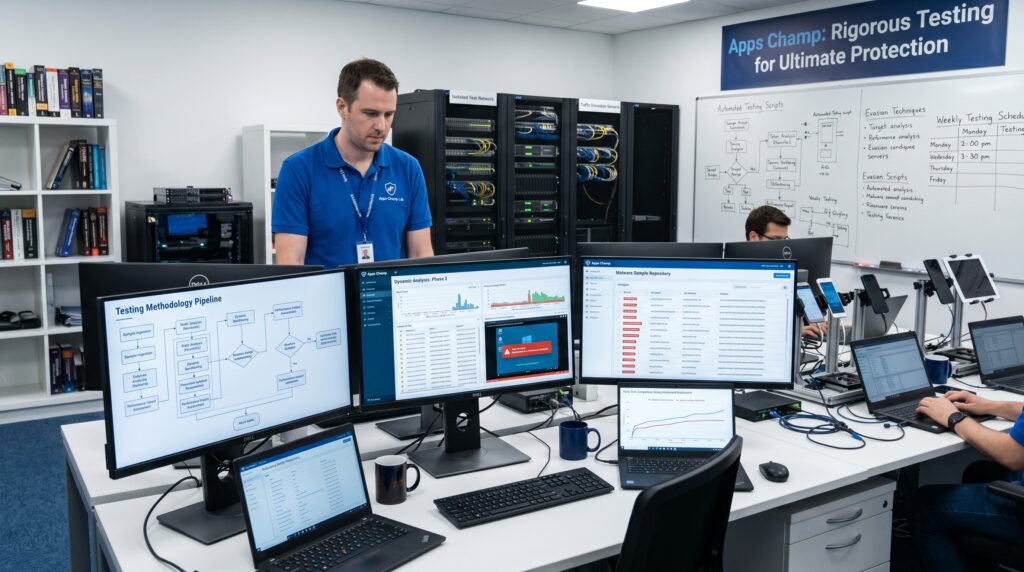
Our testing combines independent lab data with six weeks of hands-on real-world use. Here’s exactly how we score each product:
| Dimension | Weight | What We Measure |
|---|---|---|
| Security | 35% | Real-world detection rate, zero-day protection, ransomware blocking, false positive rate, independent lab scores (AV-TEST, AV-Comparatives, SE Labs) |
| Performance | 20% | CPU usage during scans, RAM consumption, system slowdown during active protection, scan speed |
| Features | 20% | Real-time protection, behavioral detection, ransomware rollback, firewall, VPN, parental controls, dark web monitoring |
| Ease of Use | 10% | Setup time, interface clarity, scan scheduling, alert quality |
| Value | 10% | Price vs. protection delivered, free tier quality, device coverage per dollar |
| Support | 5% | Response speed, live chat quality, knowledge base completeness |
Our Lab Testing Process
We test each tool against a curated set of 1,200+ real malware samples, including:
- Ransomware (including variants of LockBit, Cl0p, and BlackCat families)
- Trojans and banking malware
- Spyware and keyloggers
- Rootkits and bootkits
- Fileless malware (in-memory attacks)
- PUPs (potentially unwanted programs) and adware
- Zero-day exploit attempts
We cross-reference our in-house detection rates with the latest published results from AV-TEST (tested monthly) and AV-Comparatives (tested quarterly), using their Real-World Protection Tests and Malware Protection Tests as benchmarks. We also review each vendor’s independent security audit history.
What to Look for When Buying Anti-Malware Software in 2026
Real-Time Protection vs. On-Demand Scanning
This distinction matters enormously. Real-time protection runs continuously in the background, intercepting threats the moment they try to execute. On-demand scanning only finds threats when you manually run a scan.
Free versions of most tools (Malwarebytes Free, SUPERAntiSpyware Free) offer on-demand scanning only. This means malware can infect your system between scans. For full protection, you need a tool with real-time protection enabled — which typically requires a paid subscription.
Behavioral Detection vs. Signature-Based Detection
Traditional antivirus uses signature databases — essentially a list of known malware fingerprints. This works well for known threats but fails against new, never-seen-before malware.
Modern anti-malware tools layer behavioral detection on top of signatures. The software watches how programs behave in real time. If an application starts encrypting hundreds of files rapidly, accessing the Windows registry in suspicious ways, or attempting to disable security tools, the behavioral engine flags and kills it — even if it’s brand new.
In 2026, behavioral detection is not optional. Every tool on our top-five list uses it.
Ransomware Protection and Rollback
Ransomware is the most financially damaging category of malware. A single infection can encrypt every file on your computer and demand thousands of dollars for recovery. Look for tools that offer:
- Behavioral blocking that stops encryption before it spreads
- Protected folders that allow only trusted apps to modify files
- Rollback capability that restores encrypted files from a secure cache
Malwarebytes Premium, Bitdefender, Norton 360, and Emsisoft all offer meaningful ransomware protection. Don’t settle for a tool that only detects ransomware after the fact.
System Performance Impact
Anti-malware software that slows your PC to a crawl isn’t worth using — users disable it. Check independent lab performance scores (AV-TEST scores Performance separately from Protection) and look for products rated 5.5 or higher out of 6.
Bitdefender and Malwarebytes are consistently among the lightest tools in their class. Norton has improved significantly but still uses more CPU during active scans than the top performers.
False Positive Rate
A security tool that constantly flags legitimate software as malware erodes trust and creates dangerous habits — users start clicking “ignore” on every alert. Check AV-TEST and AV-Comparatives usability scores, which specifically measure false positive rates. Bitdefender and Kaspersky consistently lead this metric.
Independent Audit History
Any reputable anti-malware vendor should commission regular third-party security audits of their own software. Look for published audit reports from firms like Cure53, NCC Group, or Deloitte. Vendors who refuse independent audits — or who have never undergone one — should be treated with caution.
Best Anti-Malware Software 2026: Head-to-Head Comparison Table
| Feature | Malwarebytes | Bitdefender | Norton 360 | Kaspersky | Emsisoft |
|---|---|---|---|---|---|
| Real-Time Protection | ✅ Premium | ✅ | ✅ | ✅ | ✅ |
| Behavioral Detection | ✅ | ✅ | ✅ | ✅ | ✅ |
| Ransomware Rollback | ✅ Windows | ✅ | ❌ | ✅ | ✅ |
| Built-in VPN | ❌ | ✅ Basic | ✅ Full | ✅ Basic | ❌ |
| Firewall | ❌ | ✅ | ✅ | ✅ | ❌ |
| Parental Controls | ❌ | ✅ | ✅ | ✅ | ❌ |
| Dark Web Monitoring | ❌ | ❌ | ✅ | ✅ | ❌ |
| Mac Support | ✅ | ✅ | ✅ | ✅ | ❌ |
| Mobile Support | ✅ | ✅ | ✅ | ✅ | ❌ |
| Free Tier | ✅ | ✅ Trial | ❌ | ✅ Trial | ✅ Trial |
| AV-TEST Score (Latest) | 17.5/18 | 18/18 | 18/18 | 18/18 | 17/18 |
| Starting Price | $3.75/mo | $2.50/mo | $2.92/mo | $2.49/mo | $2.49/mo |
Frequently Asked Questions About Best Anti-Malware Software 2026
Q: What is the best anti-malware software in 2026? A: Malwarebytes Premium is the best dedicated anti-malware tool in 2026 for users who want focused, lightweight protection. Bitdefender Total Security is the best all-in-one suite. For free protection, Malwarebytes Free is the top on-demand scanner. The right answer depends on whether you want a dedicated anti-malware tool or a full security suite.
Q: Is anti-malware software the same as antivirus? A: Not exactly. Traditional antivirus focuses on known viruses using signature databases. Modern anti-malware tools add behavioral detection, ransomware protection, spyware removal, PUP detection, and zero-day threat blocking. In 2026, most quality products — including everything on this list — combine both approaches. The terms are often used interchangeably, but dedicated anti-malware tools typically offer stronger behavioral detection layers.
Q: Can I run anti-malware software alongside my existing antivirus? A: Yes — in most cases. Malwarebytes Premium is specifically designed to run alongside other security products without conflicts. HitmanPro and Malwarebytes Free work well as second-opinion tools. However, running two full real-time protection suites (e.g., Norton + Bitdefender both active) can cause conflicts and performance issues. Stick to one full suite and use dedicated scanners as supplements.
Q: What is the best free anti-malware software in 2026? A: Malwarebytes Free is the best free anti-malware tool available. It provides excellent on-demand scanning that removes existing infections effectively. Keep in mind it doesn’t include real-time protection — for that, you need Malwarebytes Premium. Windows Defender (built into Windows 10/11) provides free real-time protection and has improved significantly, but it still lags behind premium tools in detection rates.
Q: How often should I run anti-malware scans? A: If you have real-time protection enabled, manual scans are a safety net rather than a necessity. Run a full scan weekly on business machines or if you’ve clicked on a suspicious link. For personal machines with good browsing habits, a monthly full scan alongside real-time protection is sufficient. Always run an on-demand scan immediately after visiting a flagged or unfamiliar website.
Q: Does anti-malware software protect against ransomware? A: Premium anti-malware tools do — but not all free versions. Malwarebytes Premium, Bitdefender, Norton 360, Kaspersky, and Emsisoft all include dedicated ransomware behavioral blocking and/or rollback capabilities. Free tools generally detect ransomware only after it has already begun encrypting files. For ransomware protection, a paid product with real-time behavioral detection is essential.
Q: Is Windows Defender good enough in 2026? A: Windows Defender (Microsoft Defender Antivirus) has improved dramatically and provides adequate baseline protection for low-risk users. In AV-TEST’s latest assessment, it scored 17/18. However, it still trails premium tools in real-world detection rates and lacks advanced features like ransomware rollback, banking protection, VPN, and dark web monitoring. For most users — especially those handling sensitive data or running a small business — a dedicated paid solution is worth the investment.
Q: What are the signs my computer is infected with malware? A: Common indicators include: significant slowdown or unusual CPU/disk activity, browser homepage or search engine changed without your input, unexpected pop-up advertisements (especially outside a browser), programs launching or crashing without user action, ransom notes appearing on screen, files you can’t open or that have changed extensions, and antivirus alerts you can’t dismiss. If you notice any of these, download Malwarebytes Free immediately and run a full scan before doing anything else.
Our Verdict — Best Anti-Malware Software 2026
The best anti-malware software in 2026 is Malwarebytes Premium for dedicated protection — and Bitdefender Total Security for those who want a full security suite. Both earned their rankings through independent lab results, not marketing claims.
If budget is a constraint, Malwarebytes Free gives you the best on-demand scanner available at no cost. Pair it with Windows Defender’s built-in real-time protection, and you have a solid baseline at zero expense.
For families, Norton 360 Deluxe covers all five devices with malware protection, cloud backup, VPN, and parental controls under one affordable subscription. For businesses, Kaspersky Premium and Keeper deliver enterprise-grade protection with the management tools teams need.
The single most important thing you can do today: make sure real-time protection is running on every device in your household or business. Malware doesn’t wait for a scheduled scan.
→ Start your 14-day free trial of Malwarebytes Premium today — no credit card required.
Get Malwarebytes Premium → Get Bitdefender Total Security → Get Norton 360 Deluxe →


Was this review helpful?

